Charging
The top of VINU's LCD shows the battery level. When the battery runs low, plug in the charging cable to charge it.
01
Check the Battery Level
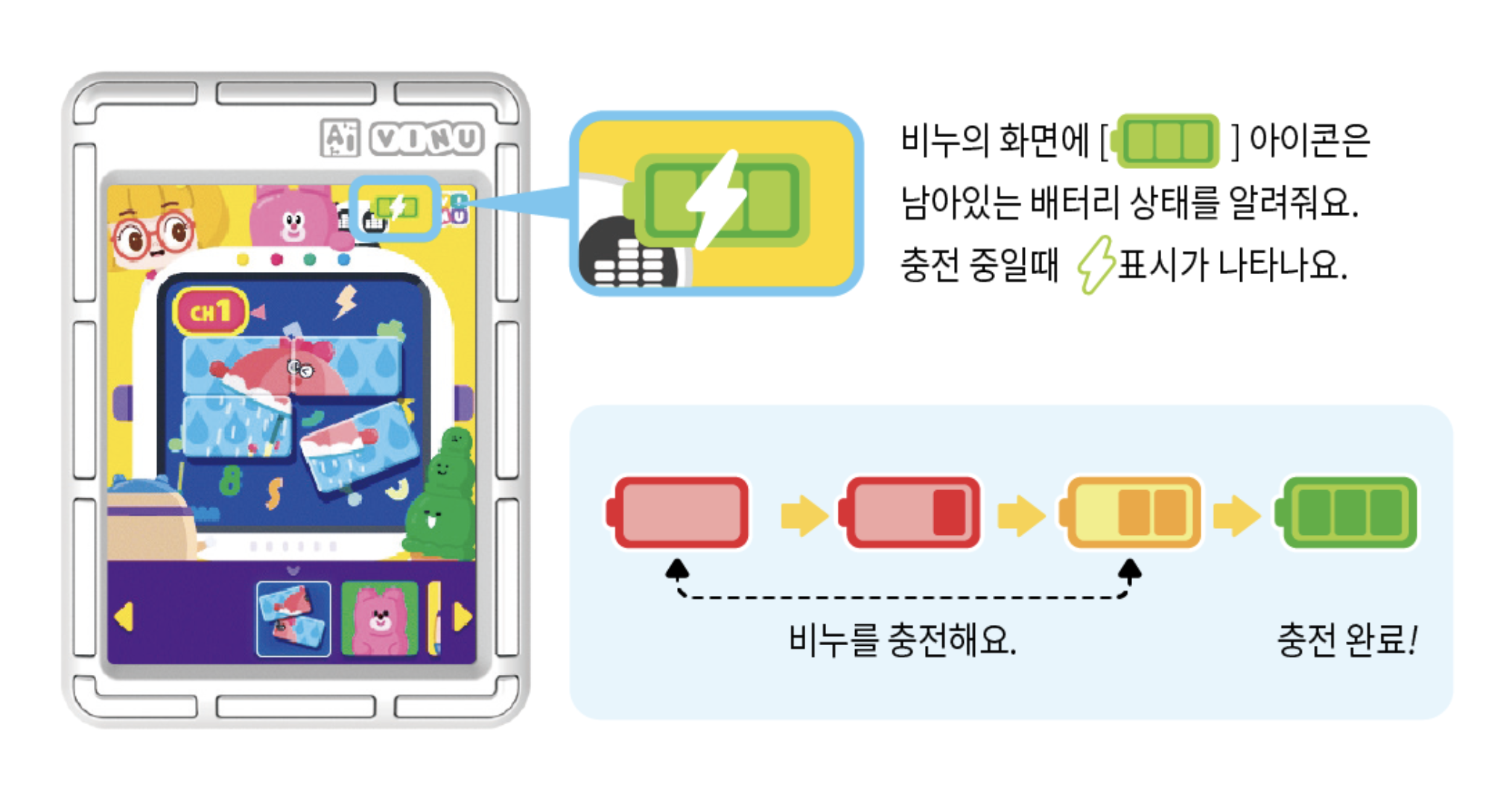
The battery icon on VINU's screen shows the remaining battery. While charging, a ⚡ icon appears.
02
How to Connect the Charging Cable
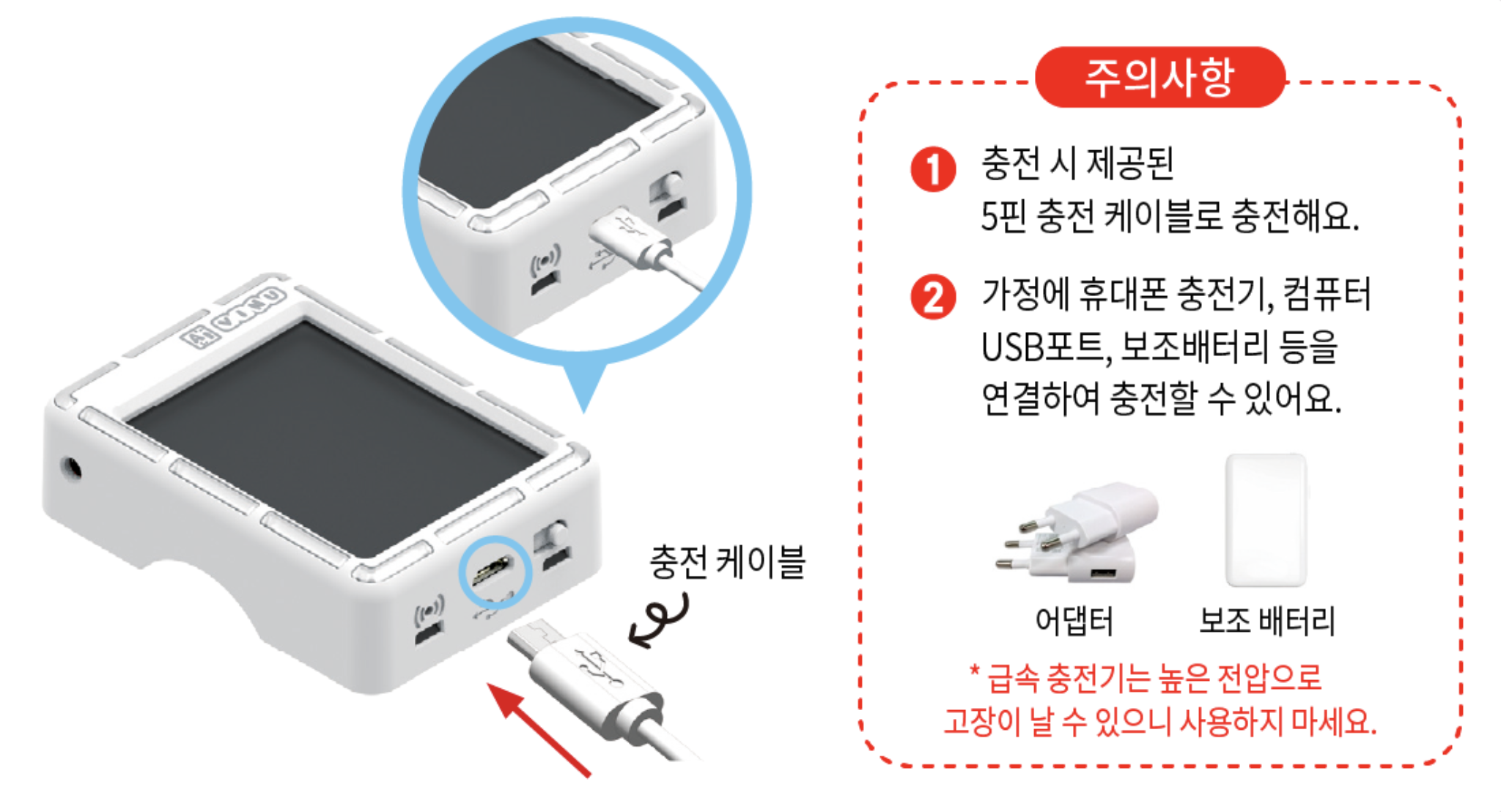
①Use the included 5-pin charging cable to charge.
②You can charge from a phone charger, a computer USB port, a power bank, etc. at home.
* Do not use fast chargers — the high voltage can cause damage.
03
LED Status While Charging
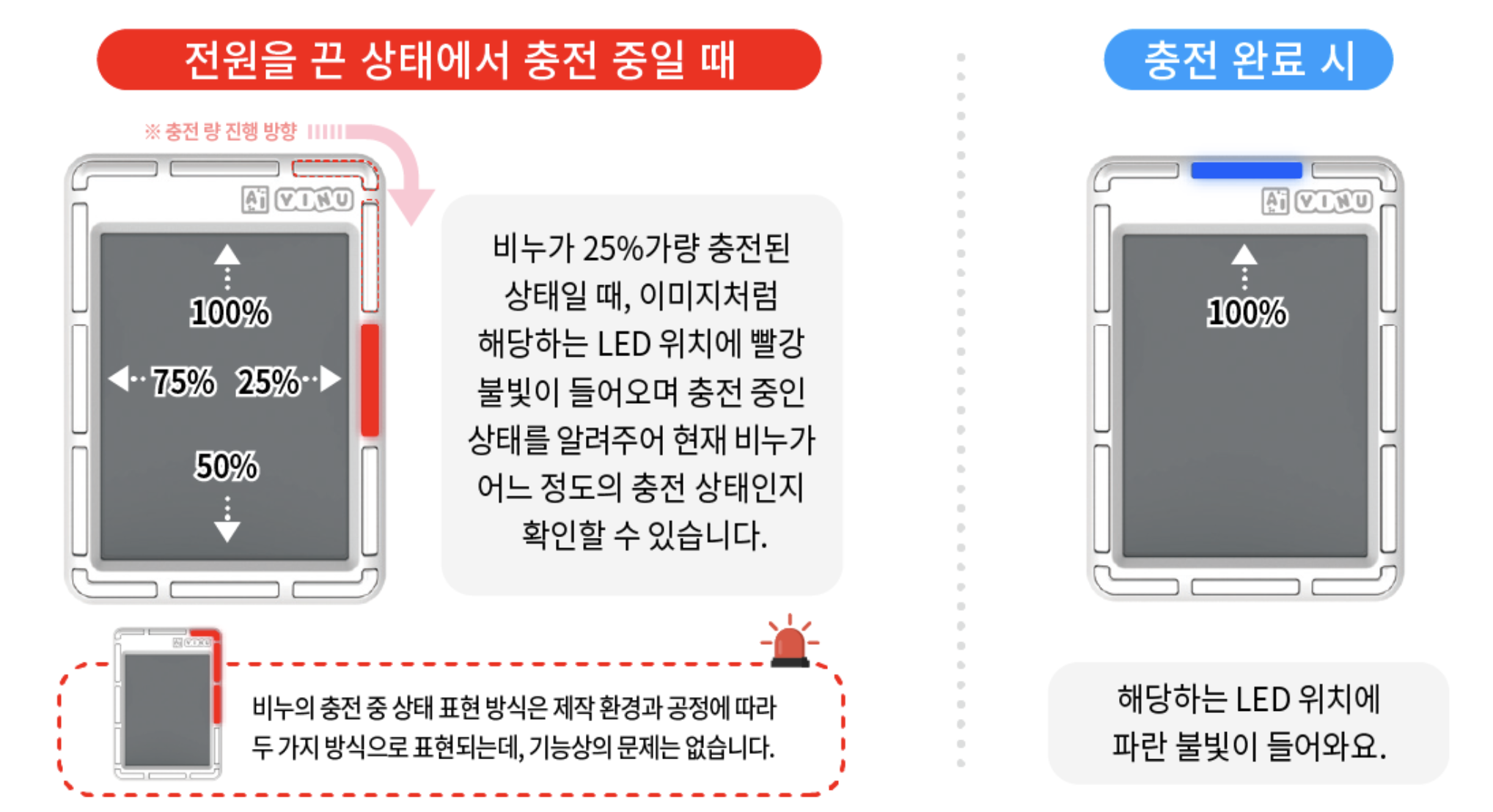
·Charging while powered off: a red light comes on at the LED position.
·When fully charged: a blue light comes on at the LED position.
VINU shows charging status in two ways depending on production batch and process, but there is no functional difference.

