Pin / Pin Tool Usage
Learn how to use pins and the pin tool to connect and disconnect blocks.
Meet the Five Pins
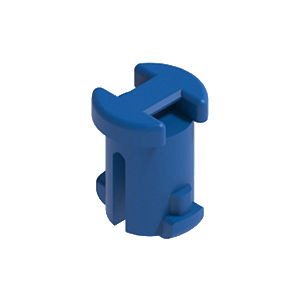
Firmly fixes two layers of blocks. The most commonly used pin.
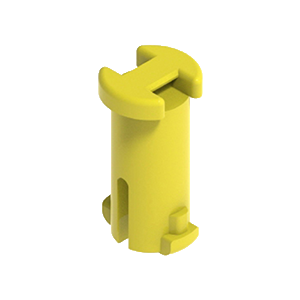
Longer than the 2-stage pin, can fix three layers of blocks.
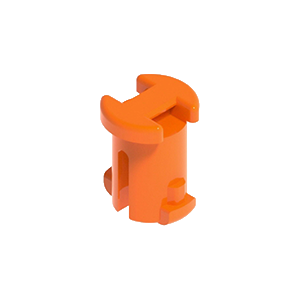
Rotates freely while keeping blocks fixed.
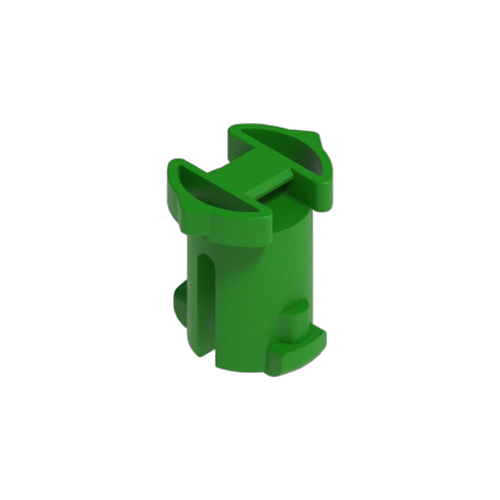
Fixes at any angle when inserted into gear holes.
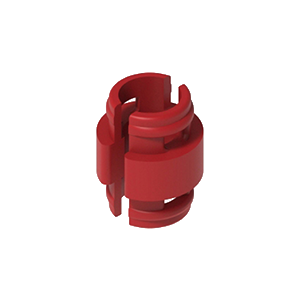
Identical top and bottom, easy to snap blocks together.
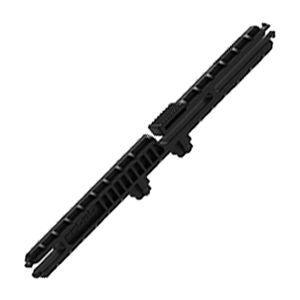
A tool for fixing pins. Always required.
About the Pin Tool
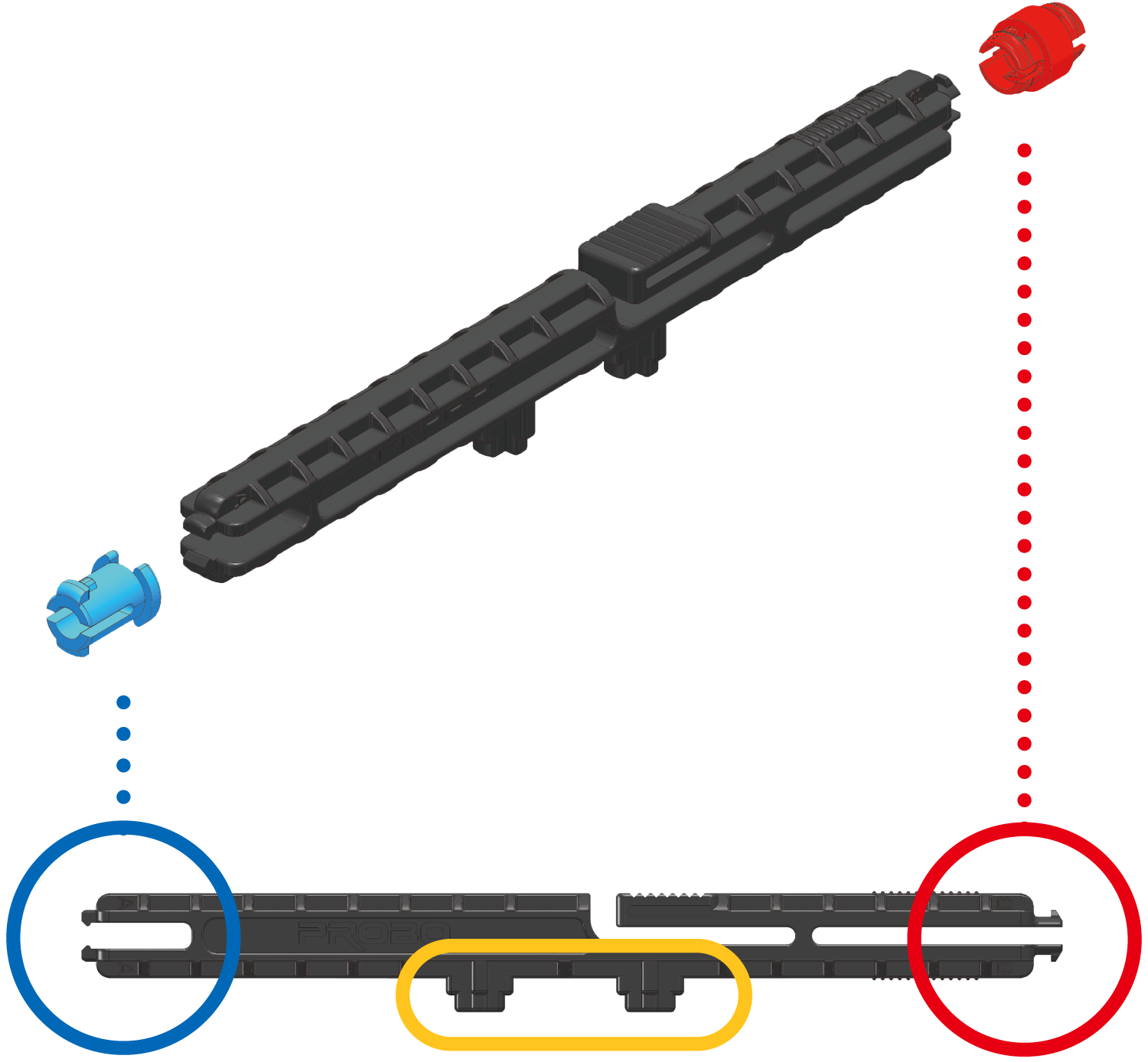
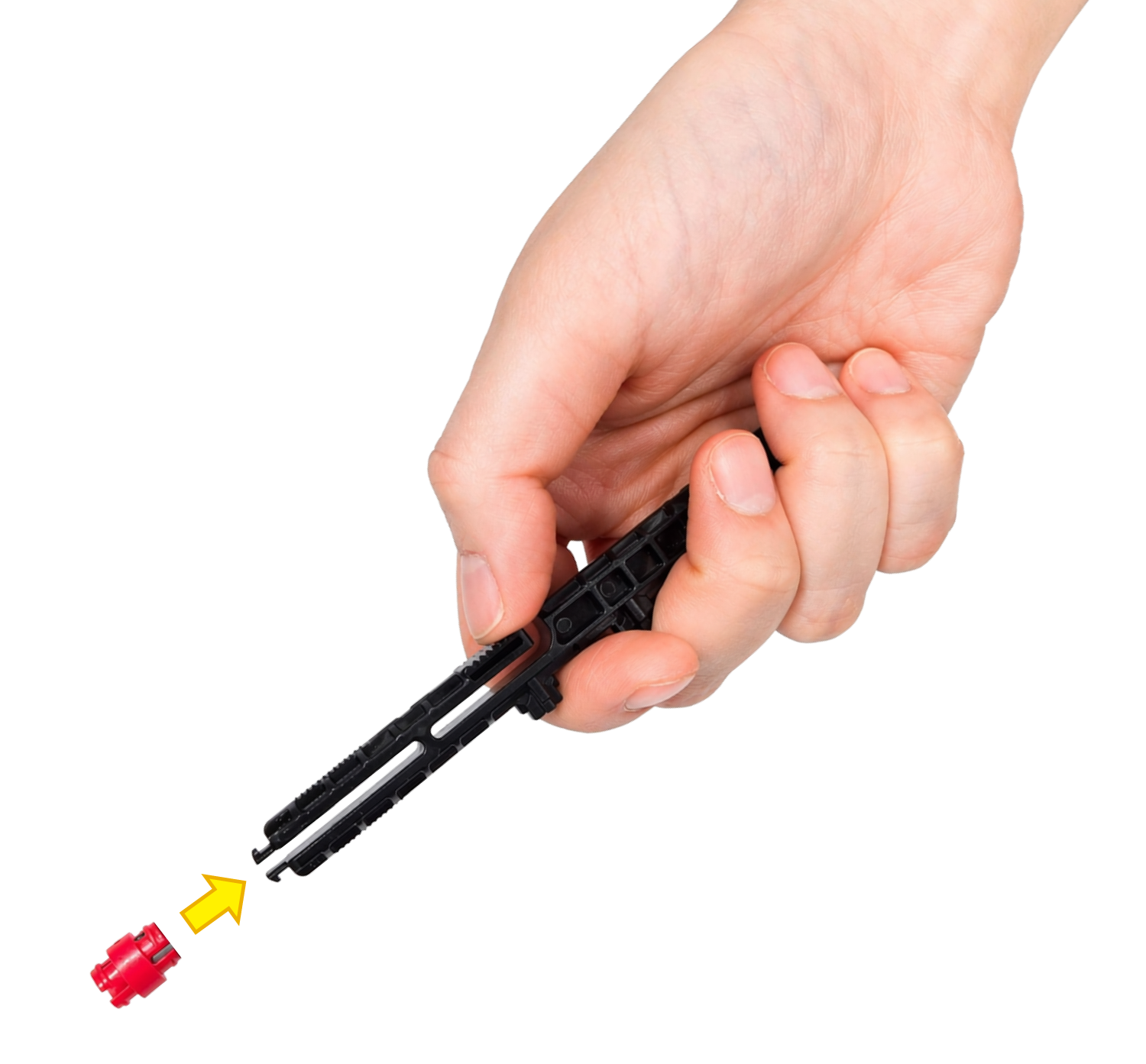
Pins should be inserted using the pin tool to avoid hurting your hands.
Pin Assembly
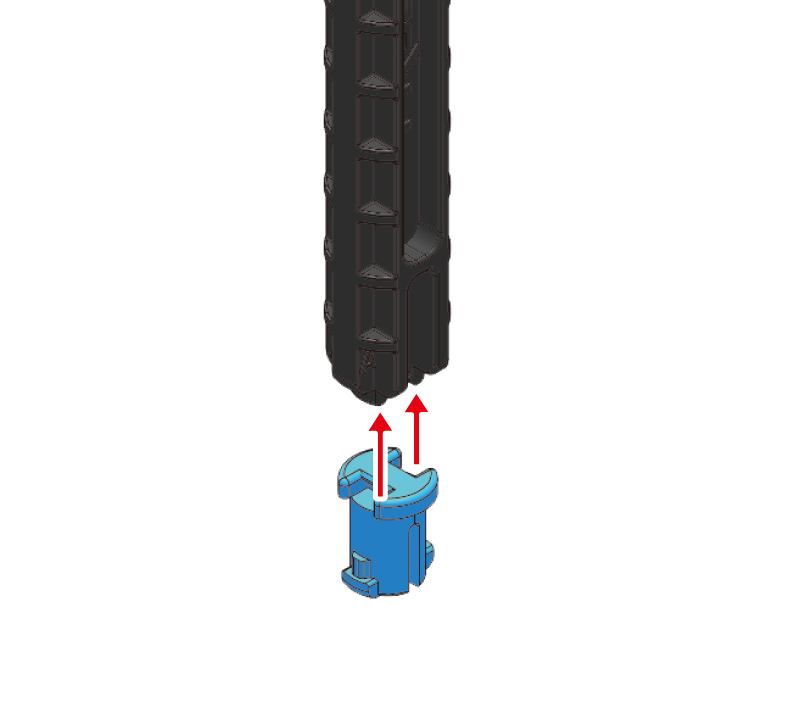
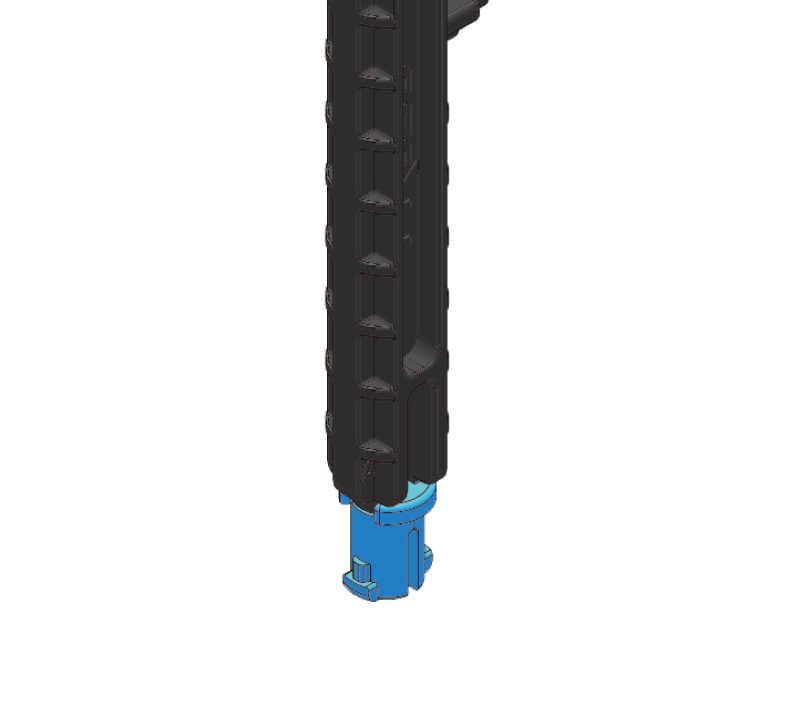
Insert the 2-stage pin into the pin tool.
Stack blocks in the same direction.
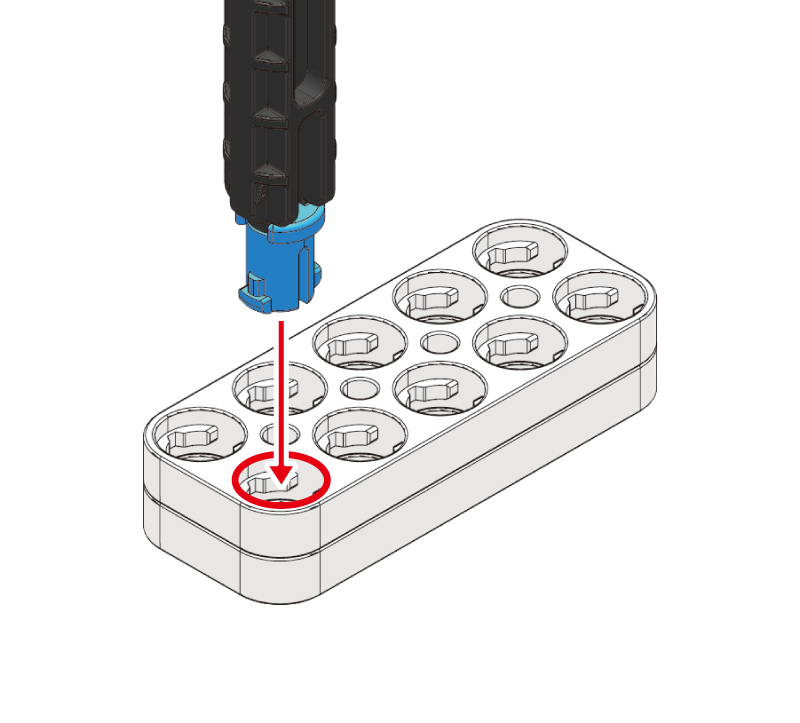
Align along the red line.
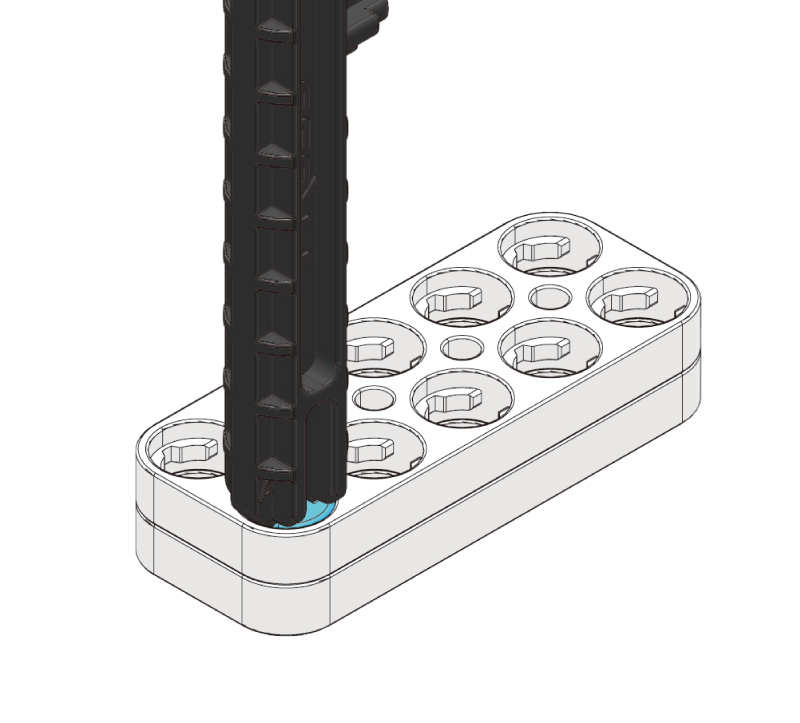
Push in all the way.
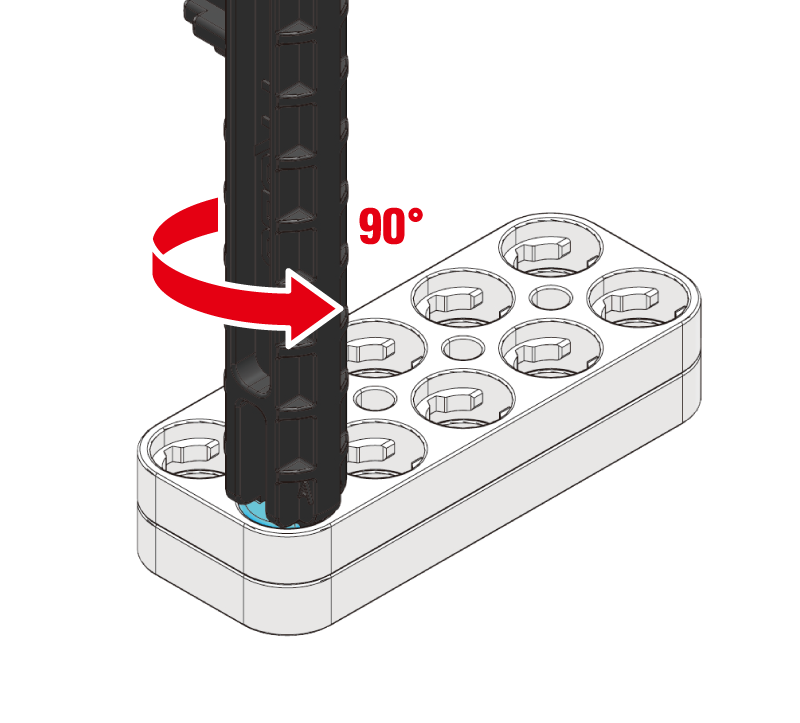
Rotate until you hear a click.
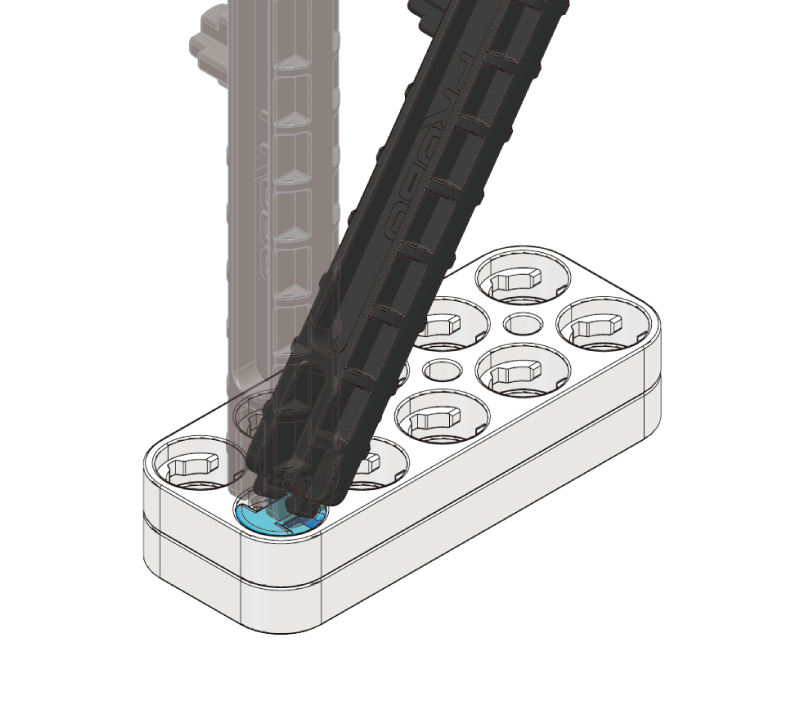
Tilt the pin tool sideways to release.
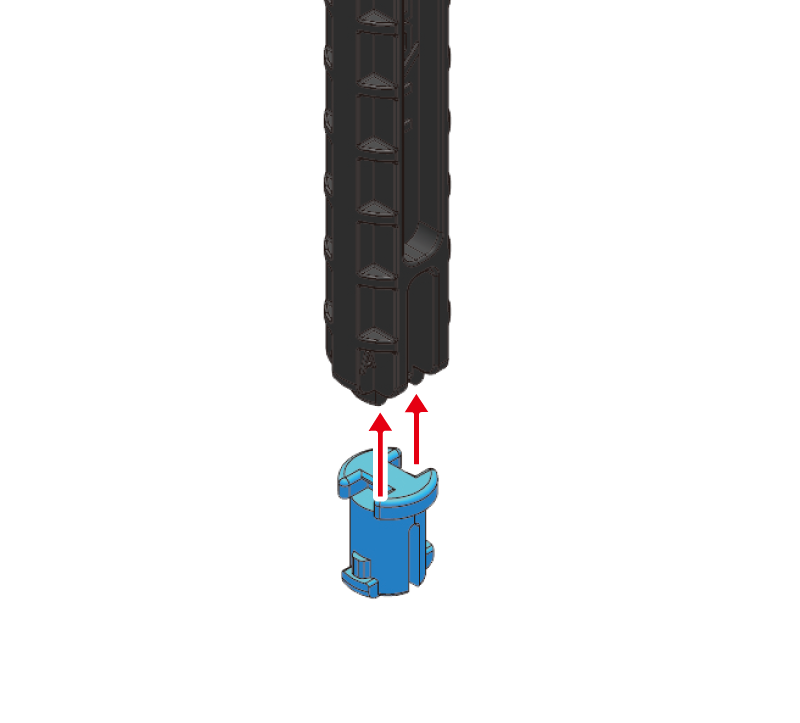
Insert the 2-stage pin into the pin tool.
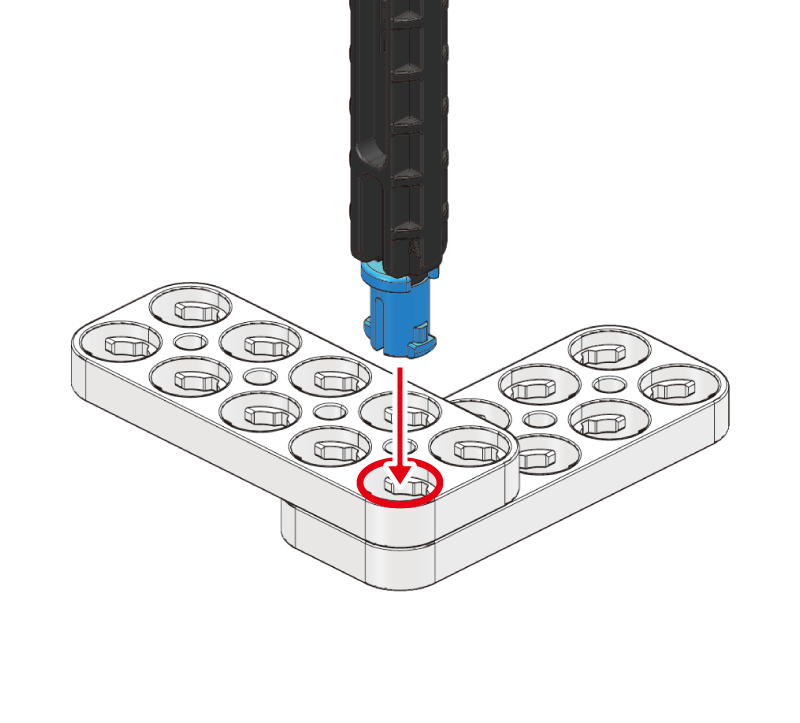
Stack blocks in different directions.
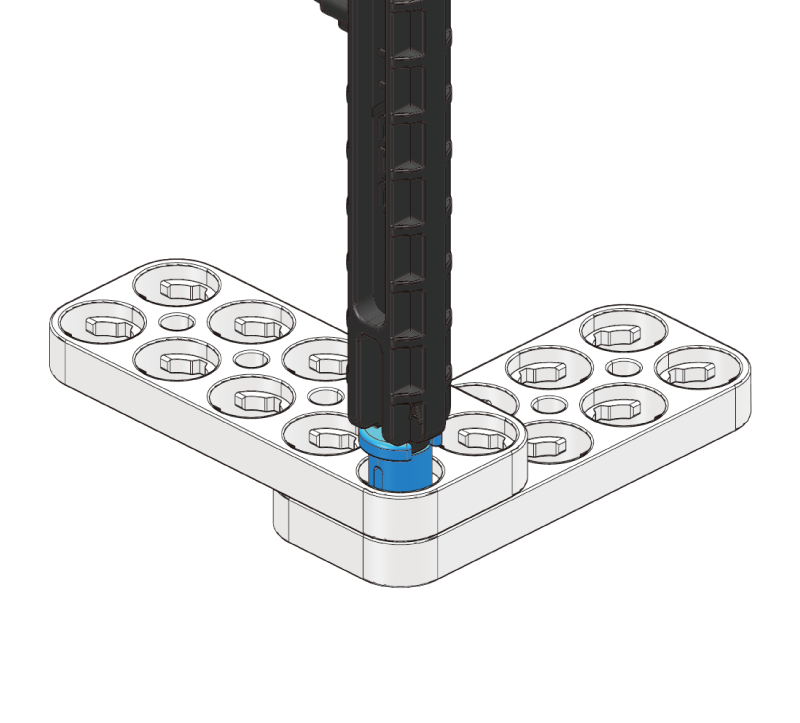
Insert the 2-stage pin into the block.
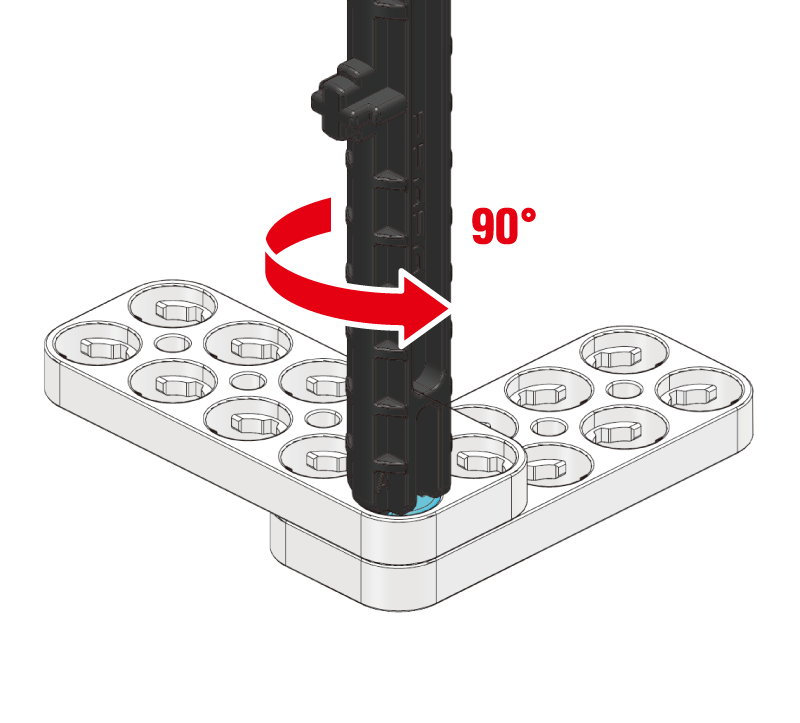
Twist slightly while pushing in all the way.
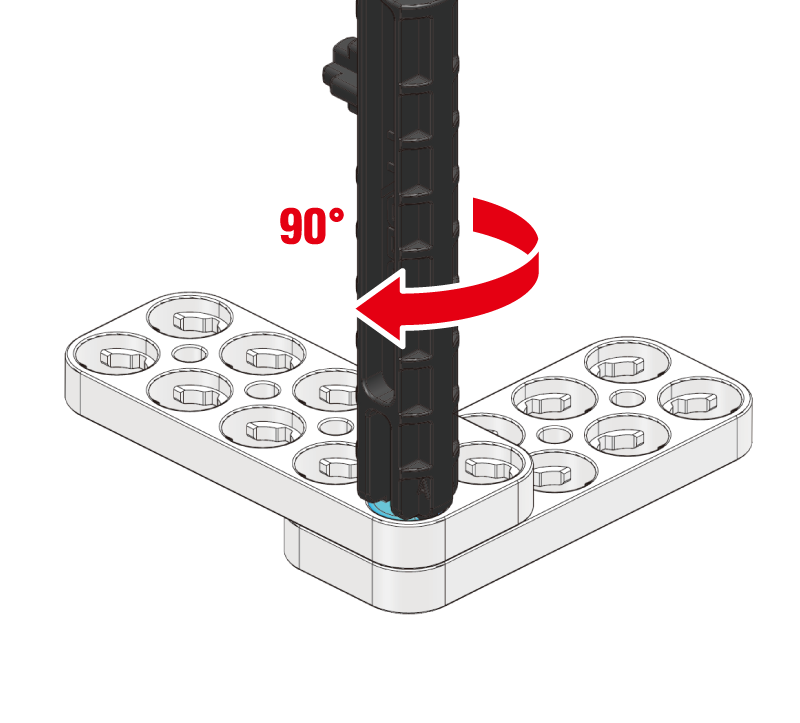
Rotate until you hear a click.
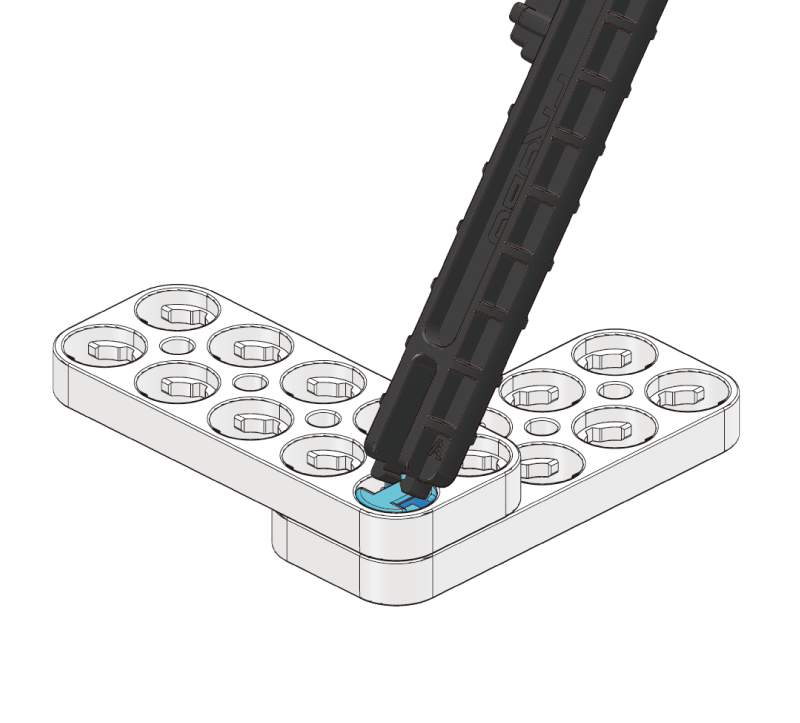
Tilt the pin tool sideways to release.
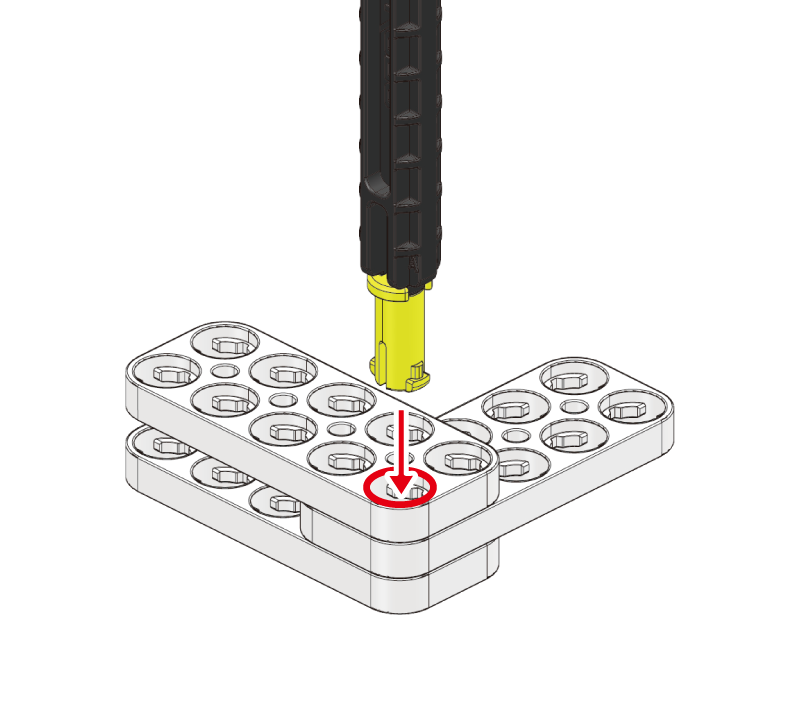
Insert the 3-stage pin into the pin tool.
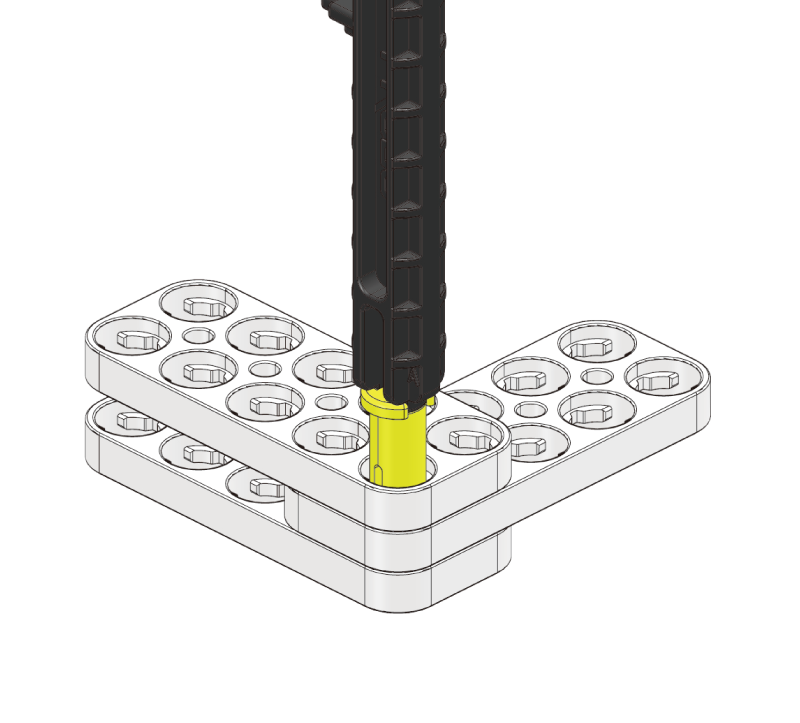
Insert the 3-stage pin into the block.
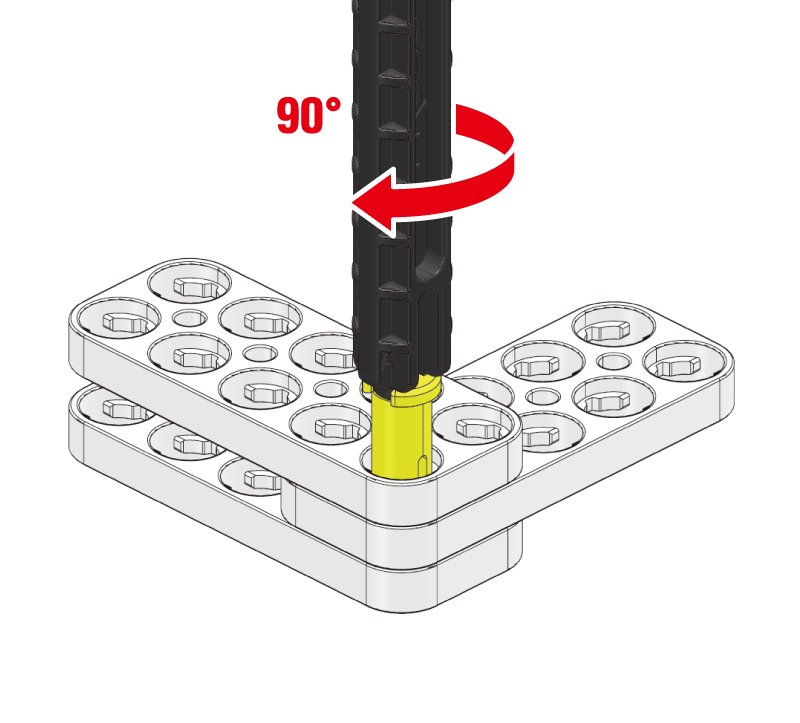
Twist slightly and push in.
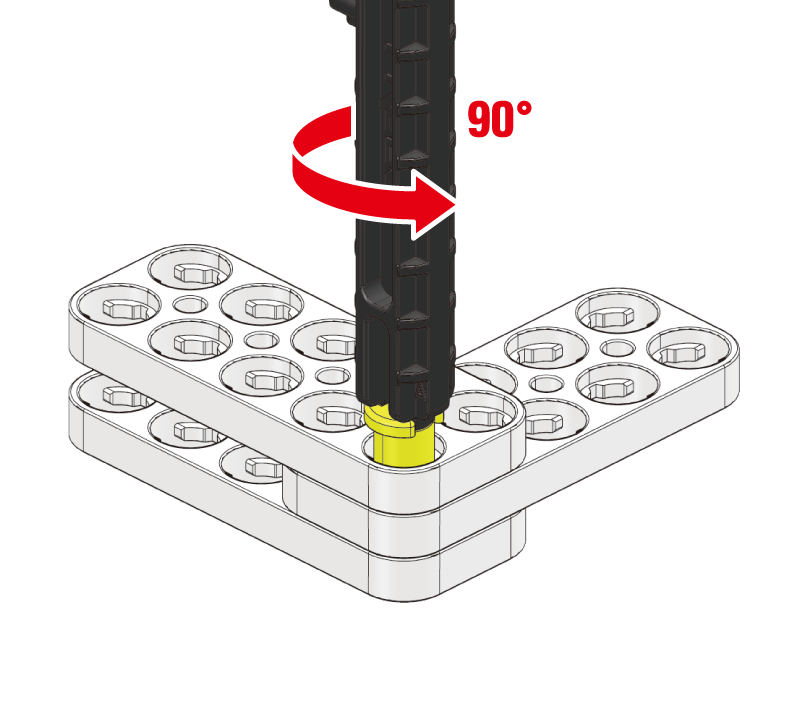
Twist slightly once more while pushing in.
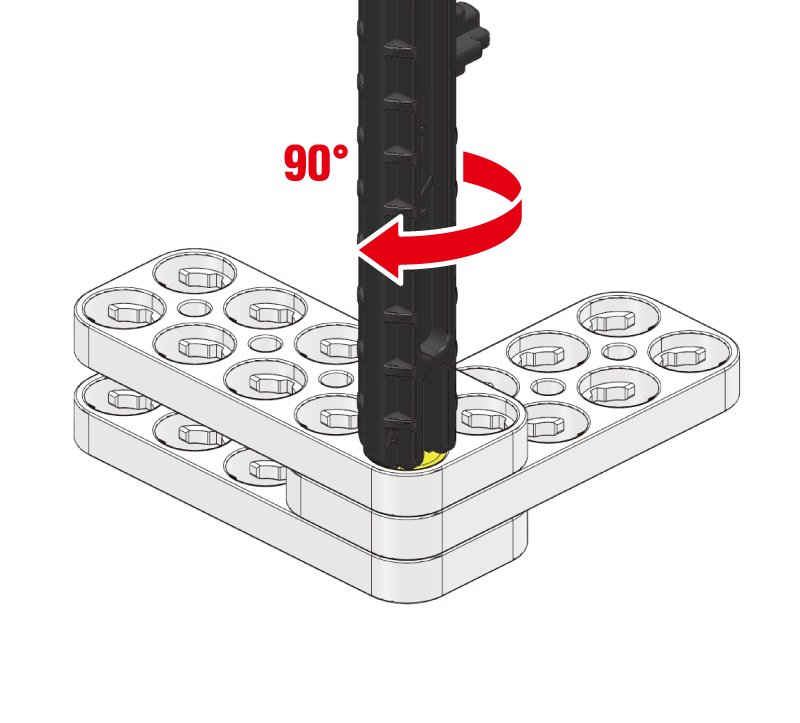
Rotate until you hear a click.
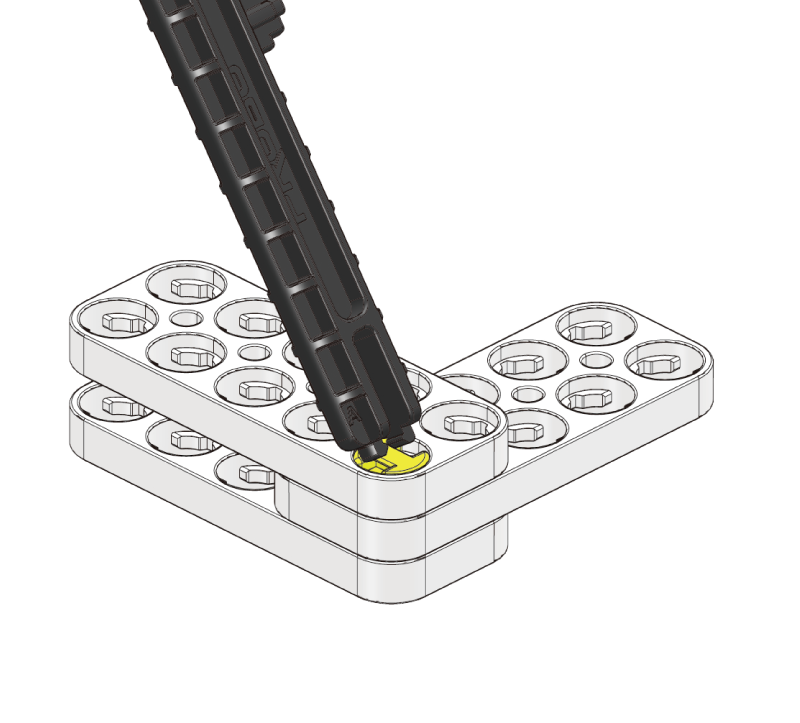
Tilt the pin tool sideways to release.
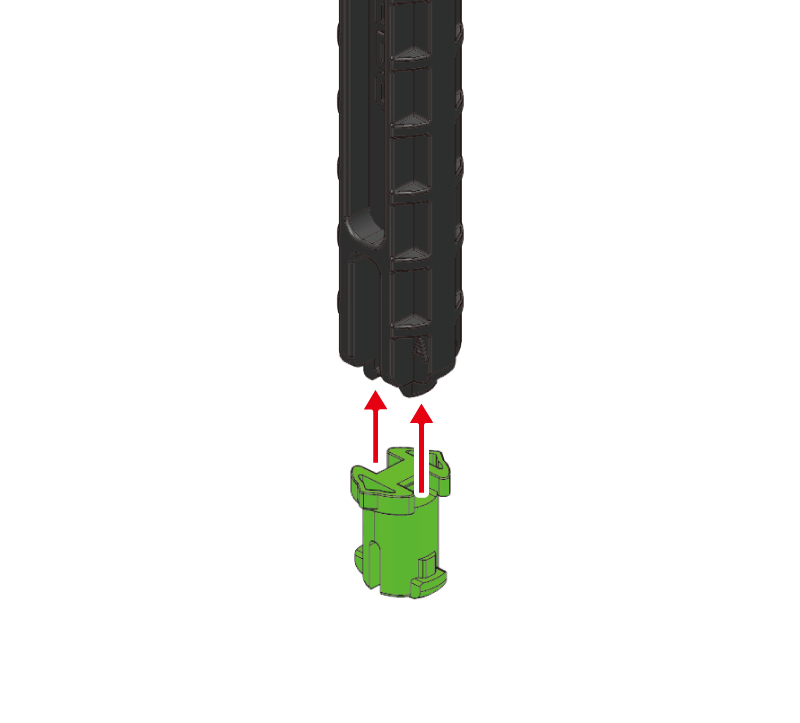
Insert the step pin into the pin tool.
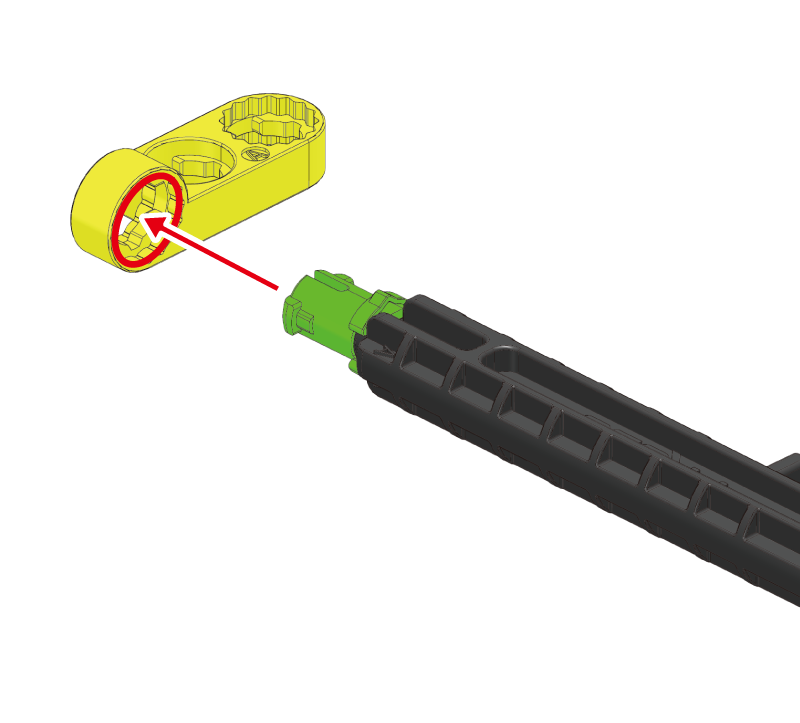
Prepare the hinge block A that pairs with the step pin.
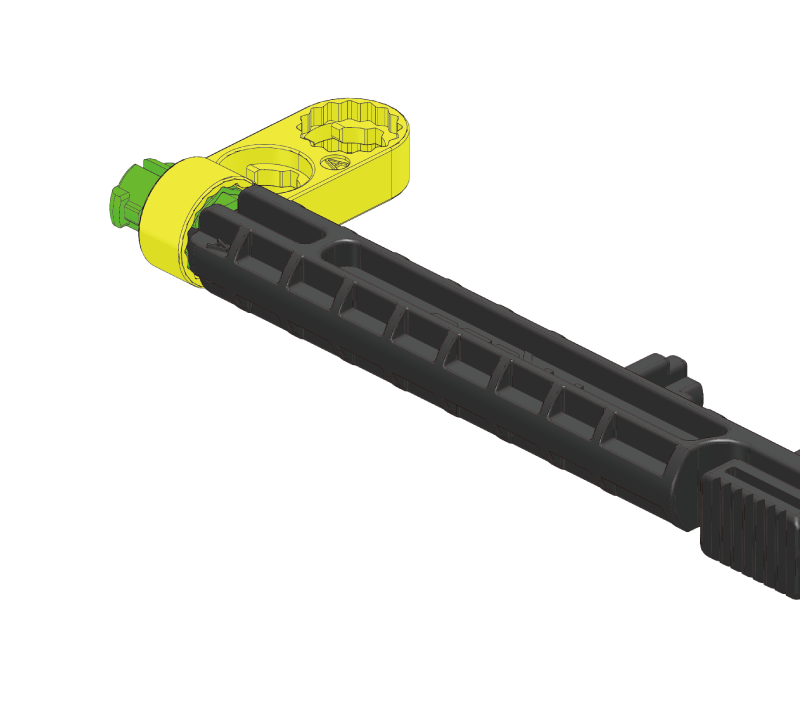
Fit into the step pin.
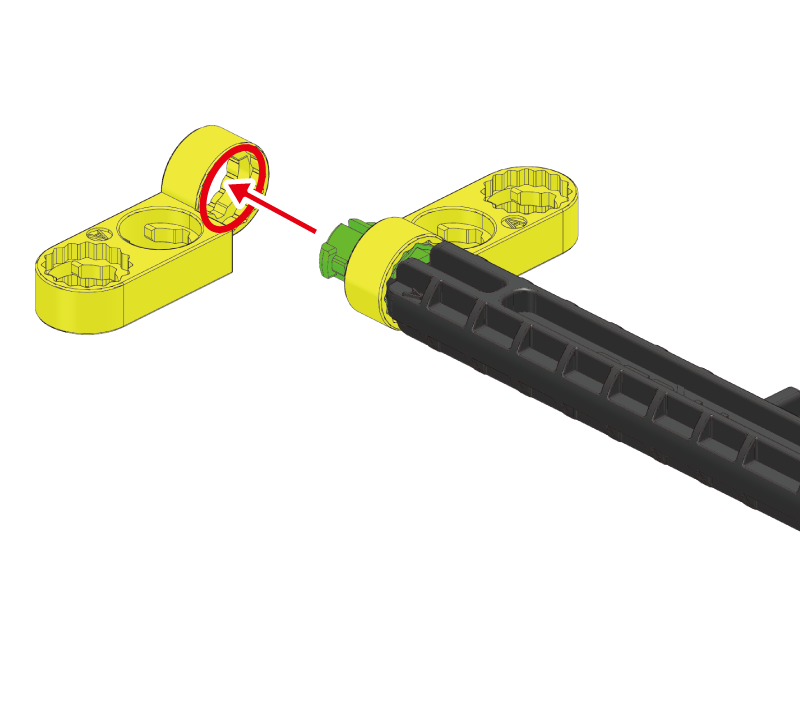
Stack another hinge block A on top.
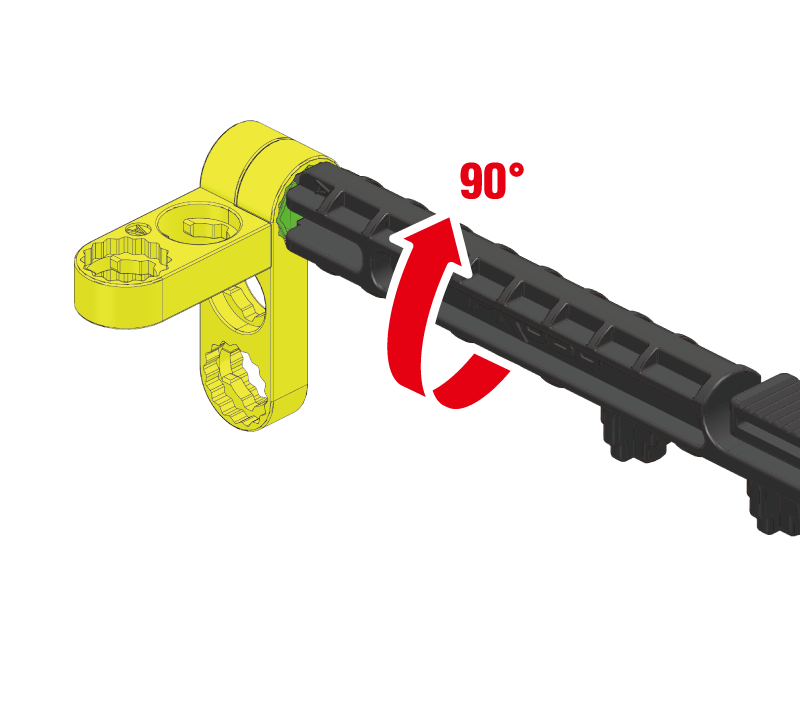
Hold and rotate until you hear a click.
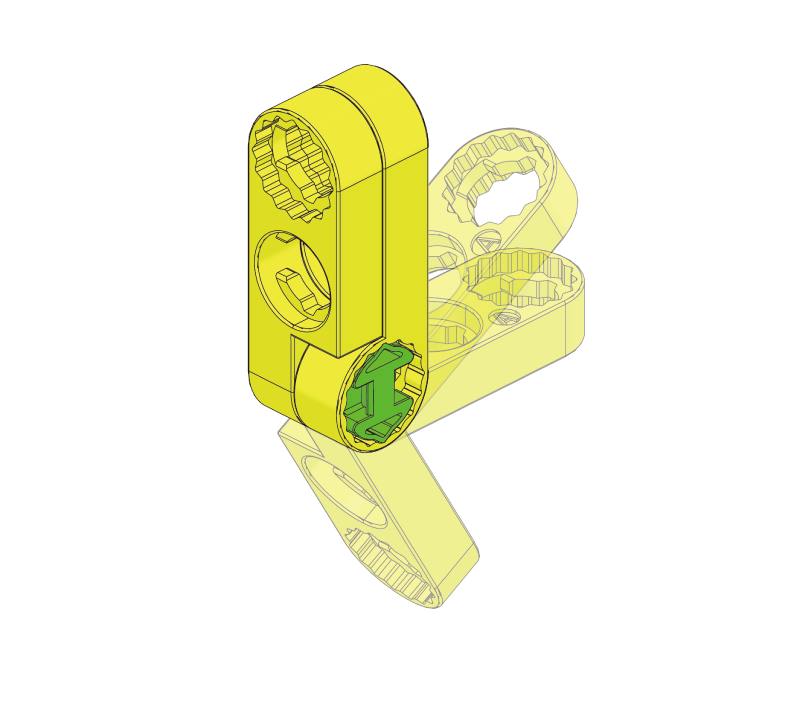
It should not disassemble and should expand with a 'click'.
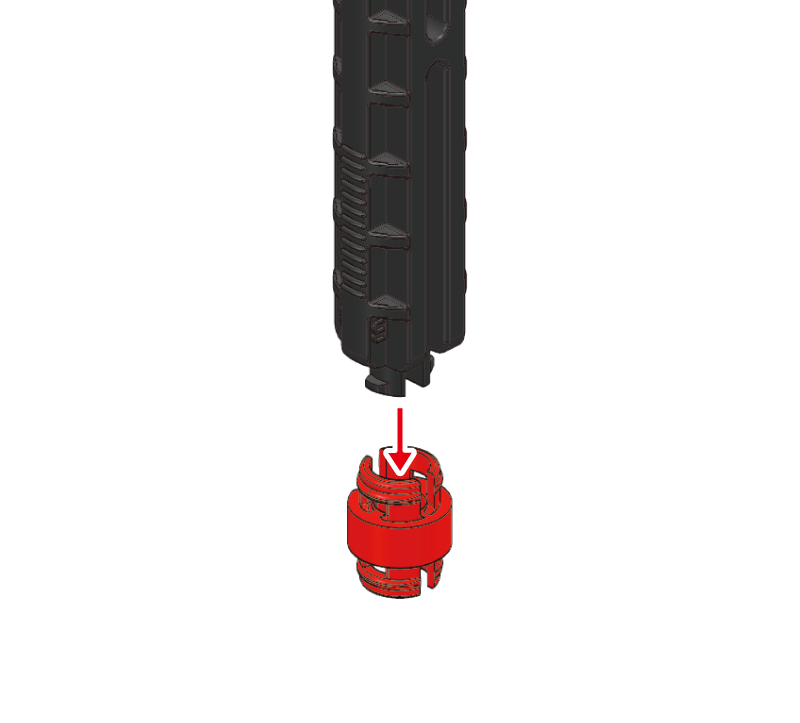
Insert the dual pin into the pin tool.
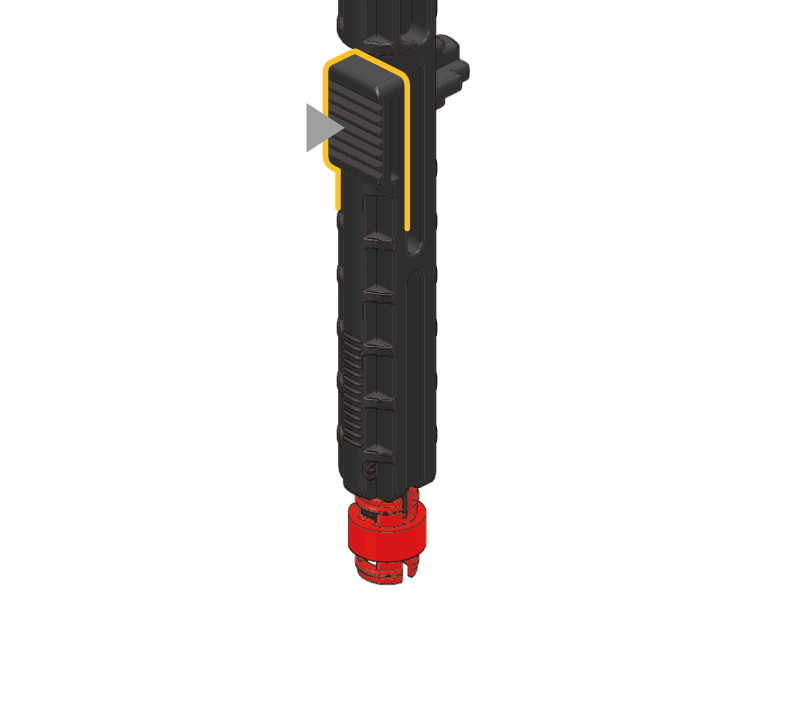
The dual pin has a different pin tool direction.
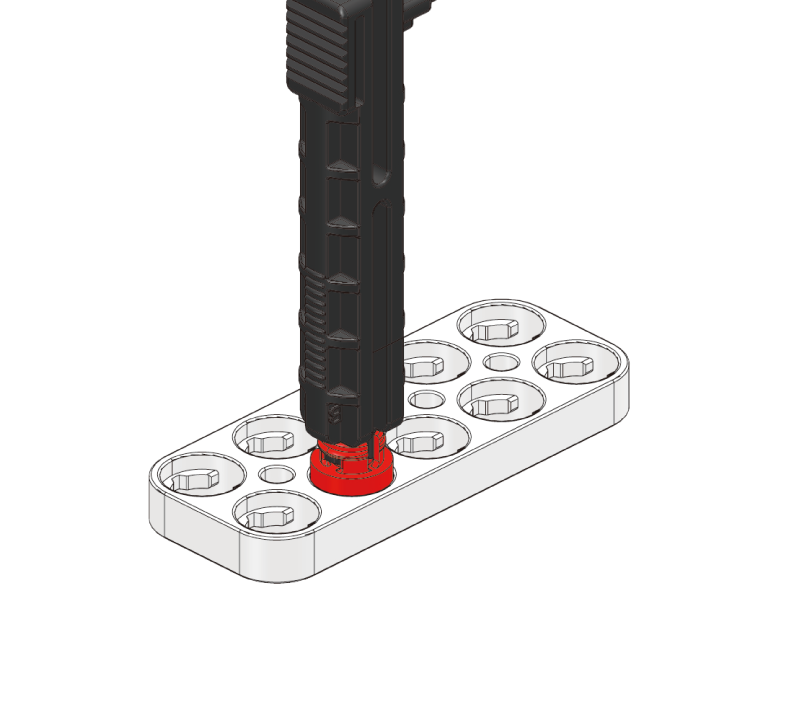
Insert the dual pin into the block hole.
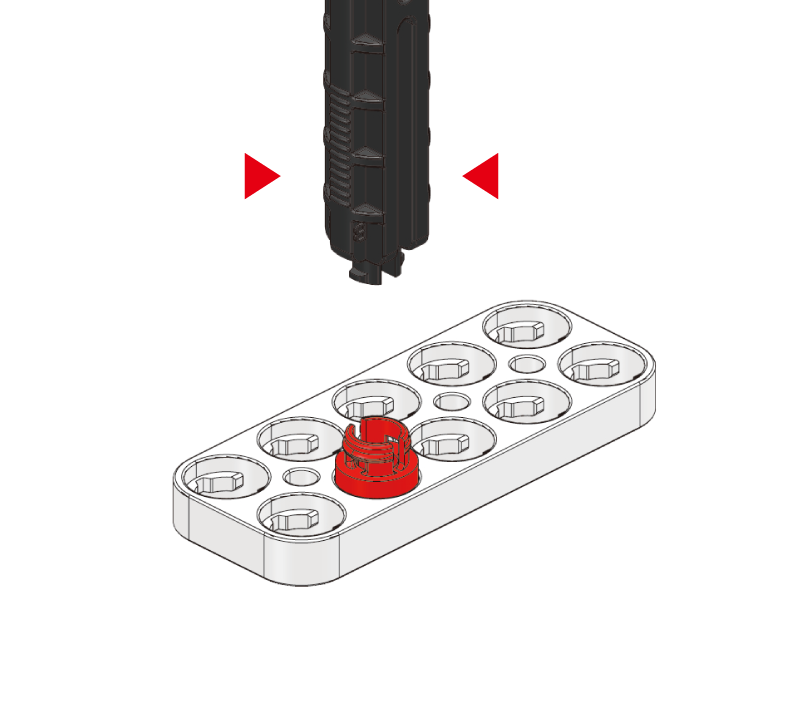
Press the front of the pin tool to release it.
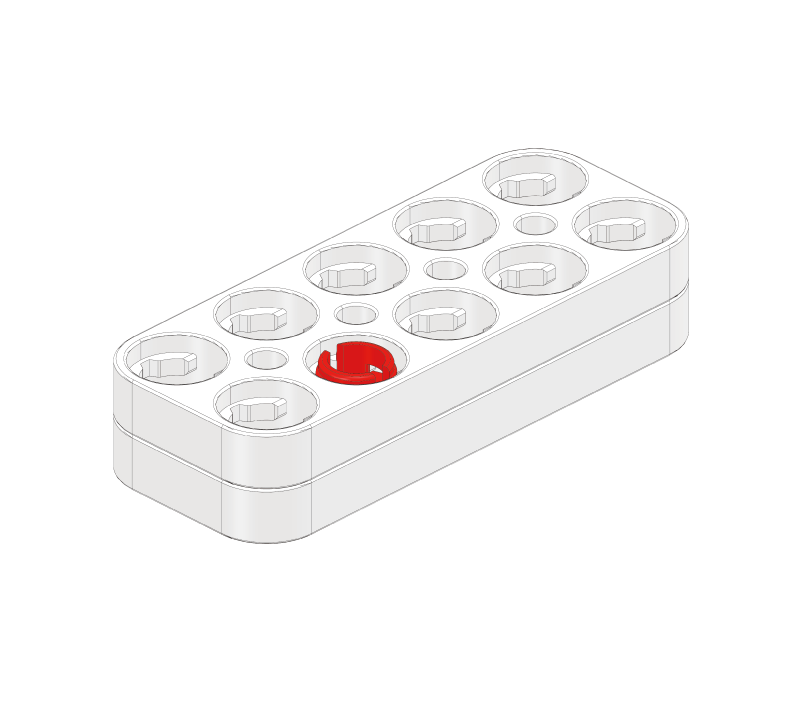
Sticks to other blocks like a magnet.
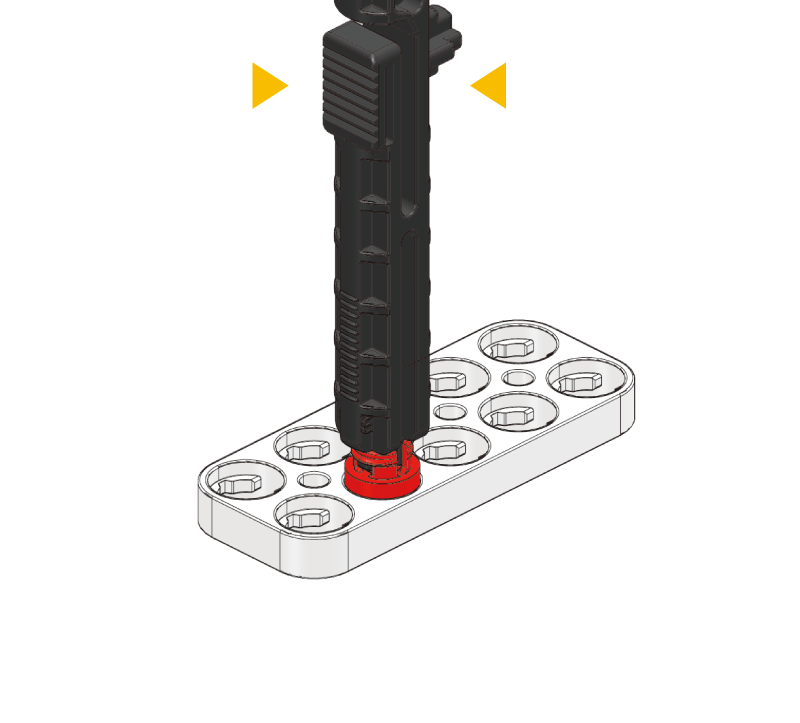
To disassemble, press the middle button of the pin tool.
Pin Comparison
| Pin | Color | Use | Feature |
|---|---|---|---|
| 2-Stage Pin | Blue | Fix two-layer blocks | Most commonly used |
| 3-Stage Pin | Yellow | Fix three-layer blocks | Stronger hold |
| Link Pin | Orange | Rotating connection | Rotates while fixed |
| Step Pin | Green | Angle fixing | For gear holes only |
| Dual Pin | Red | Block joining | Snap-together |